
The Neopian Auction House
 The Neopian Auction House is a marketplace feature allowing Neopians to buy and sell Neopoint items. As one of the first few features of the site, the Neopian Auction House allowed users to sell their items to the highest bidder within a certain amount of time.
The Neopian Auction House was fully revamped on July 6, 2026 with a brand new look. The update included an increased Neopoint limit raised to 200,000,000 NP, added grace period with a cancellation feature for live auctions, allowing not just NeoFriends to bid but now Guild Members only, and providing specific mechanics to combat botting.
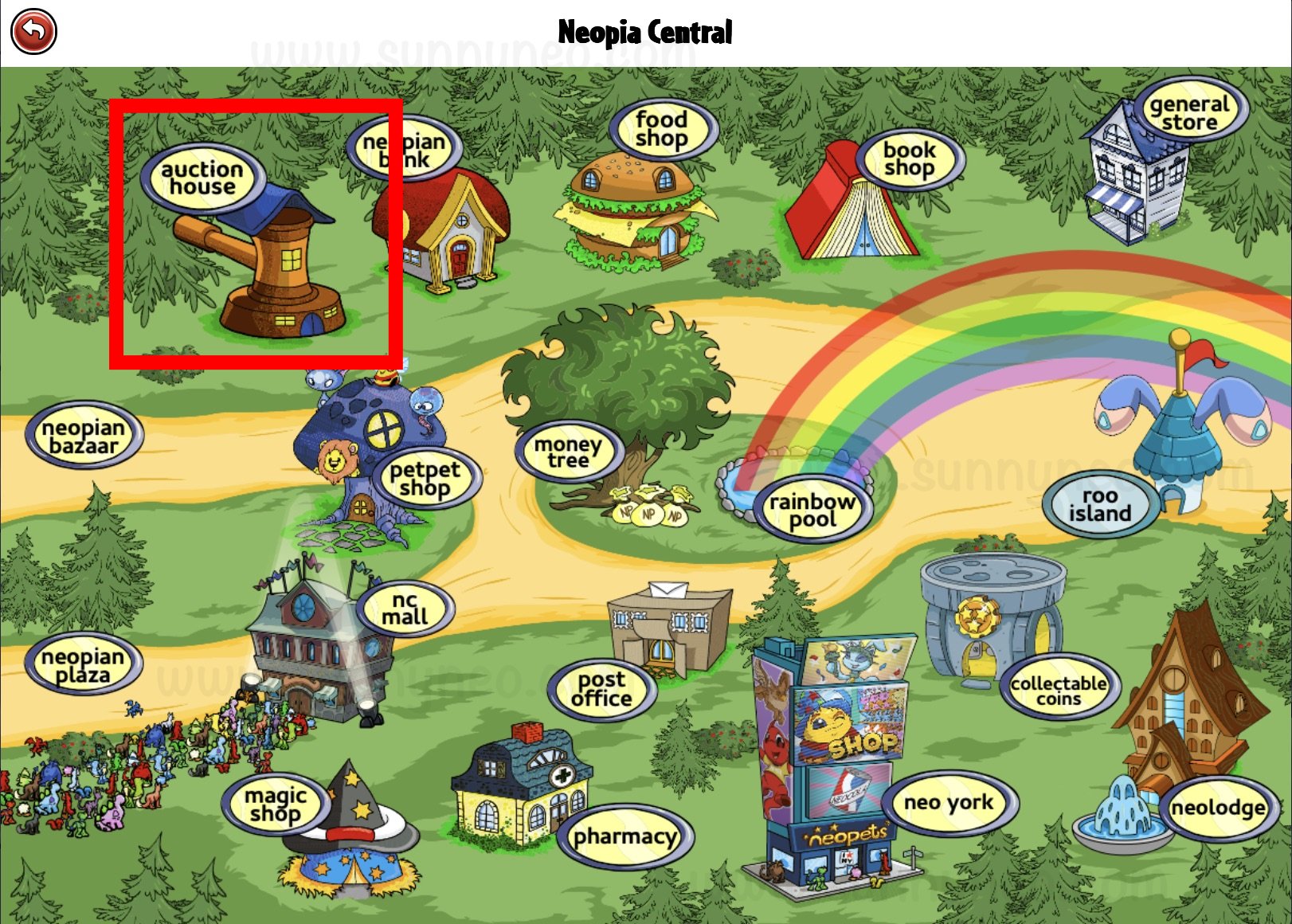
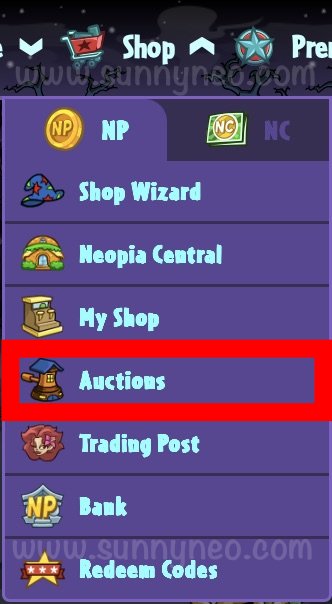
To find the Neopian Auction House, you can either go to Neopia Central where you will find it on the upper left corner of the map, or you can use the Shops dropdown and click Auction.
 |  |
There are two ways to participate in the Neopian Auction House. You can either place a bid and spend Neopoints getting items, or you can create a new listing where you are trying to sell items to earn Neopoints.
Placing a Bid
Auctions are a great way to find items that exceed over the spending limit in user shops. Items can exceed more than 1,000,000 NP, which makes for finding rare items easier to find from others. The homepage of the Neopian Auction House will state how many Neopoints you have on-hand, a list auctions other users have listed, along with tabs to help organize your auctioned items and bids.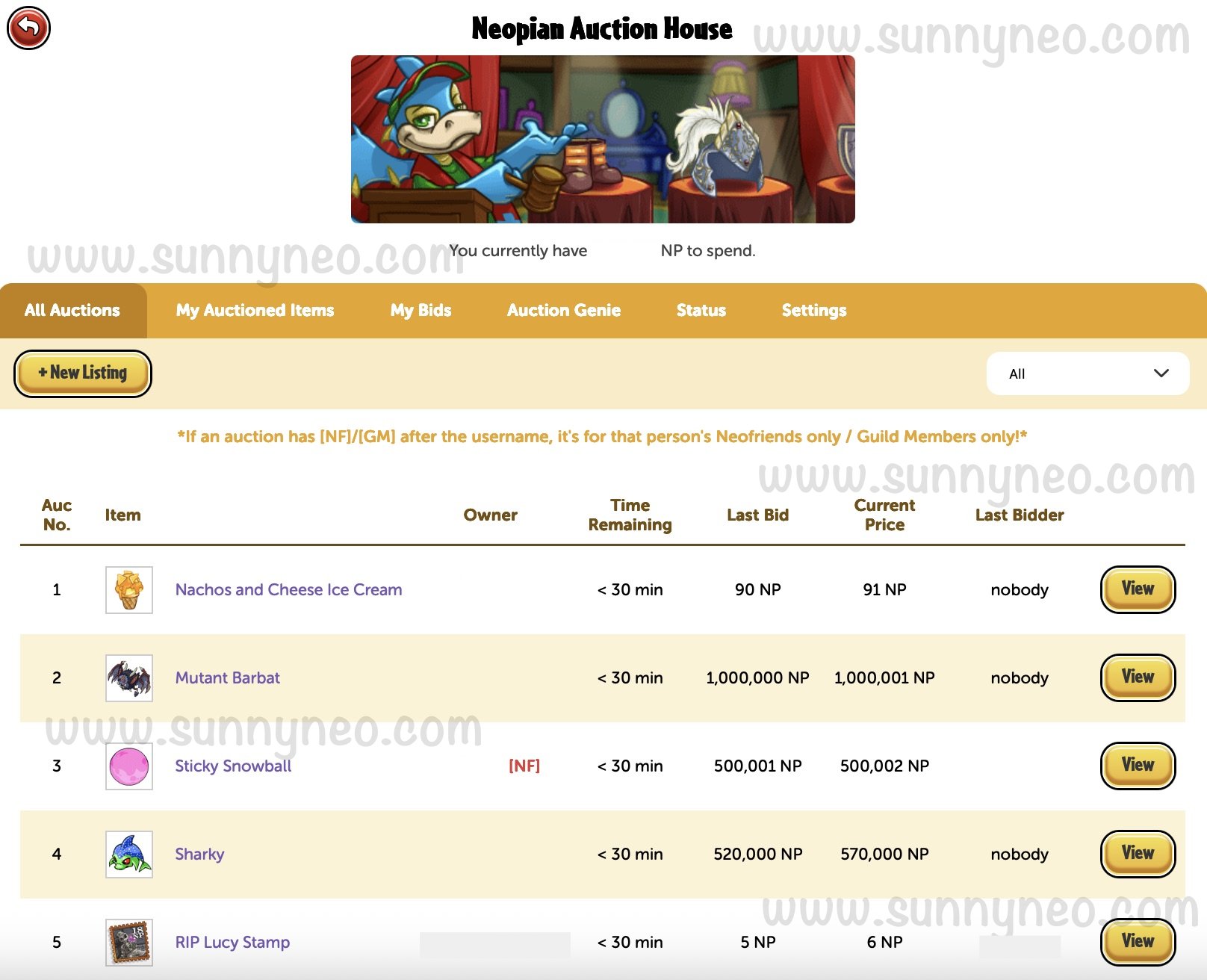
You will notice each item listed will state the owner, or Neopian making the auction, the time remaining for the auction, how much the base or last bid amount was, what the current price will be if bidded on, and the latest bidder. You can view the listing on its own to see this information much more clearly by clicking the
view button. 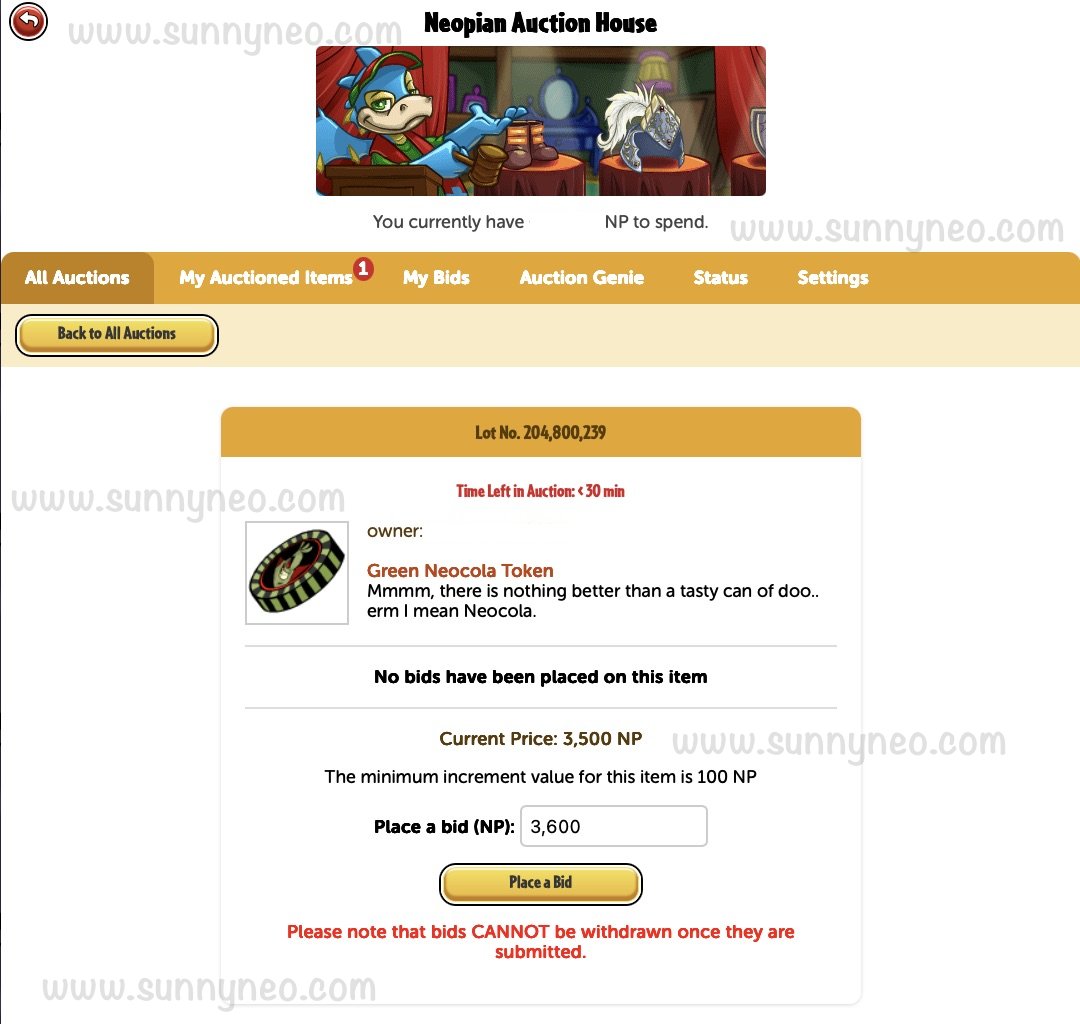
Viewing a specific item will show its bidding history, its current price, its minimum increment value number, and the minimum amount of Neopoints you need to spend to place a successful bid. So if the increment value is 100 NP and the current price is 3,500 NP, then you must spend 3,600 NP or more to successfully bid on that item. Once you click
Place a Bid , there is no confirmation to ask whether you're sure you want to bid, and your bid will be successfully be placed immediately. You cannot withdraw a bid once submitted. 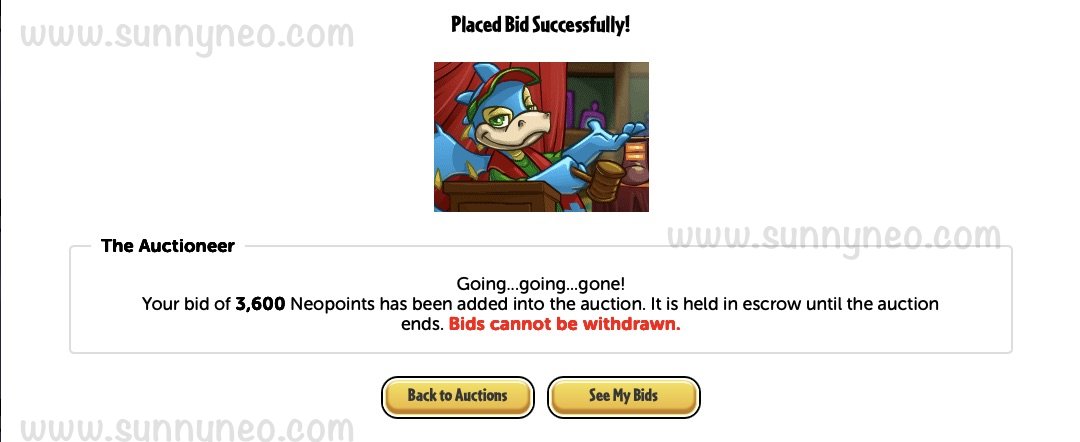
Placing a bid does not mean you will automatically get the item. The owner of the auction can choose how long they want their auction open for. They can choose from as soon as an hour to as long as two days. No matter the length of time, we recommend you often check back to see the auction to ensure that the latest bid is yours and not swiped by someone else. Once the time is up, the auction will close and the item will go to the latest bidder. You can bid on more than one listing. To check your bids altogether, click the
My Bids tab. 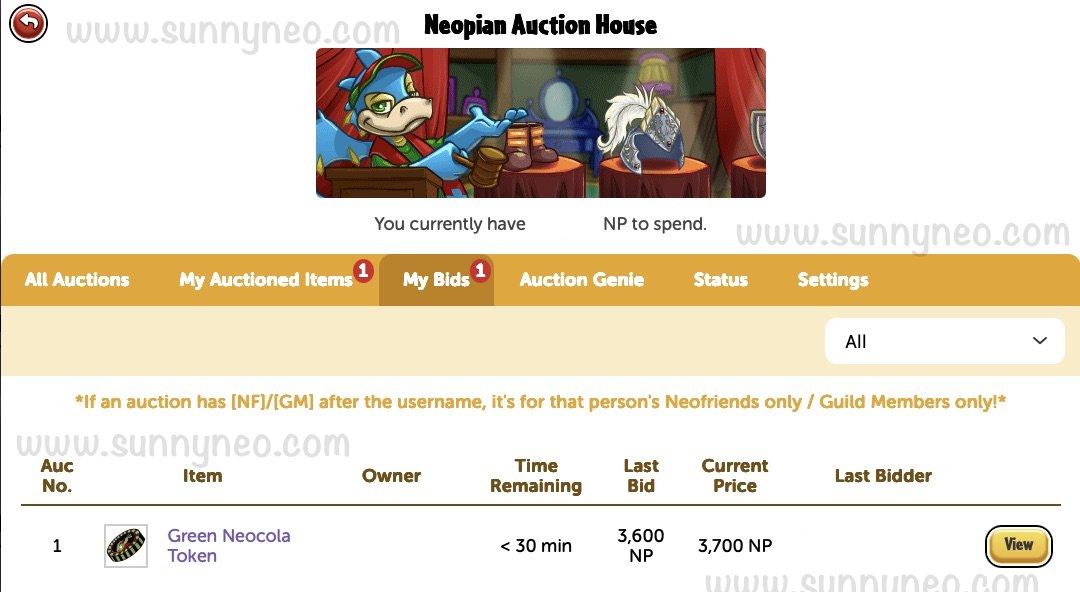
Auction Genie
The homepage of the Neopian Auction House are often item listings that are close to its end. Typically, you're heading to the auction house to find a specific item. If that's the case, then the Auction Genie is where you want to go to search for any specific item that could be listed by another user. You can find theAuction Genie by clicking its tab. You will then be greeted with the Auction Genie themself and a list of questions to easily search what you are looking for. You can either search by item or search by a player's username. 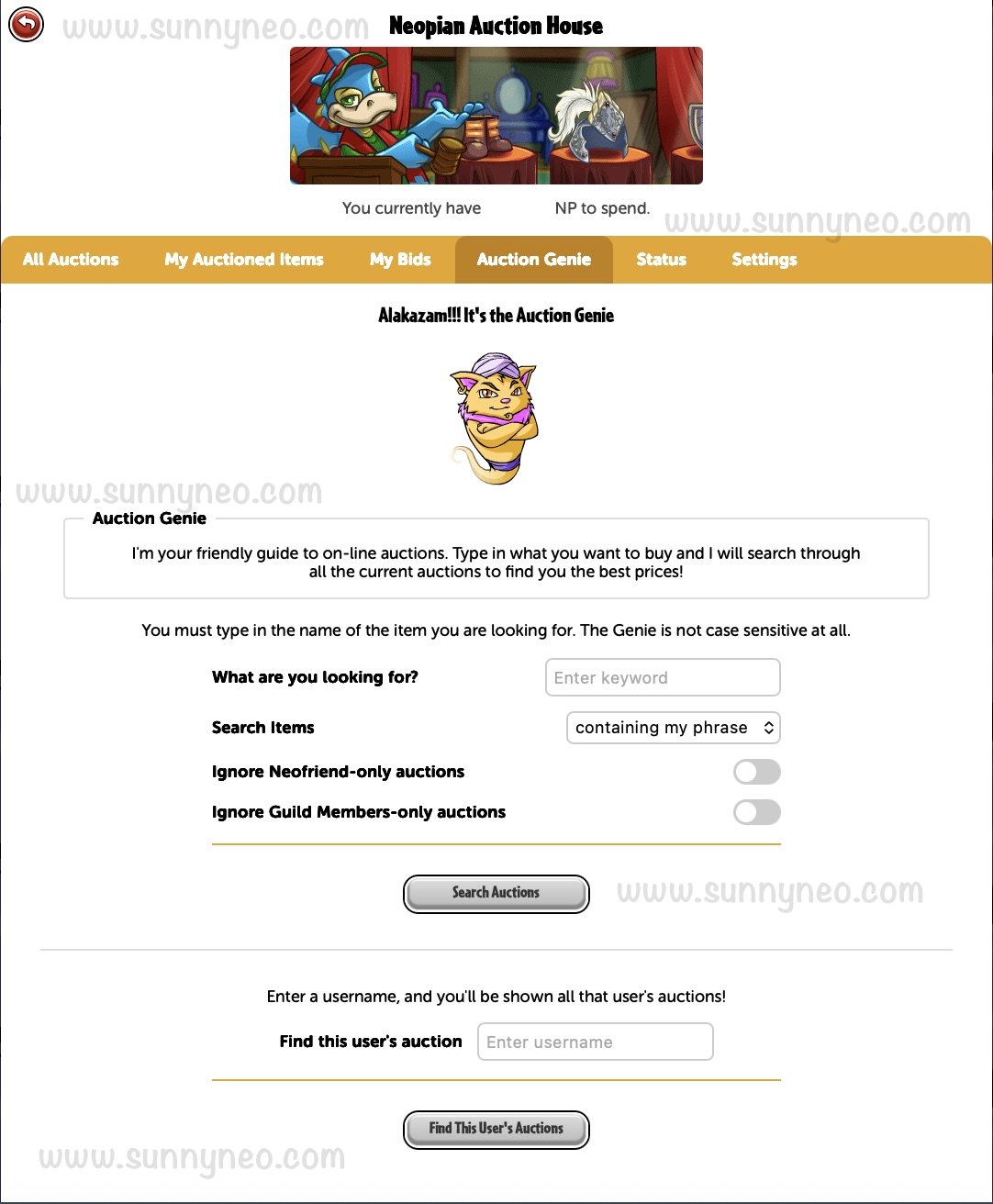
Creating a Listing
Creating a list, or auctioning off items, is you becoming the seller. There are two ways you can start lists. You can either click + New Listing under the Neopian Auction House tabs, or you can go straight to your inventory and choose an item that you want to list in the auction.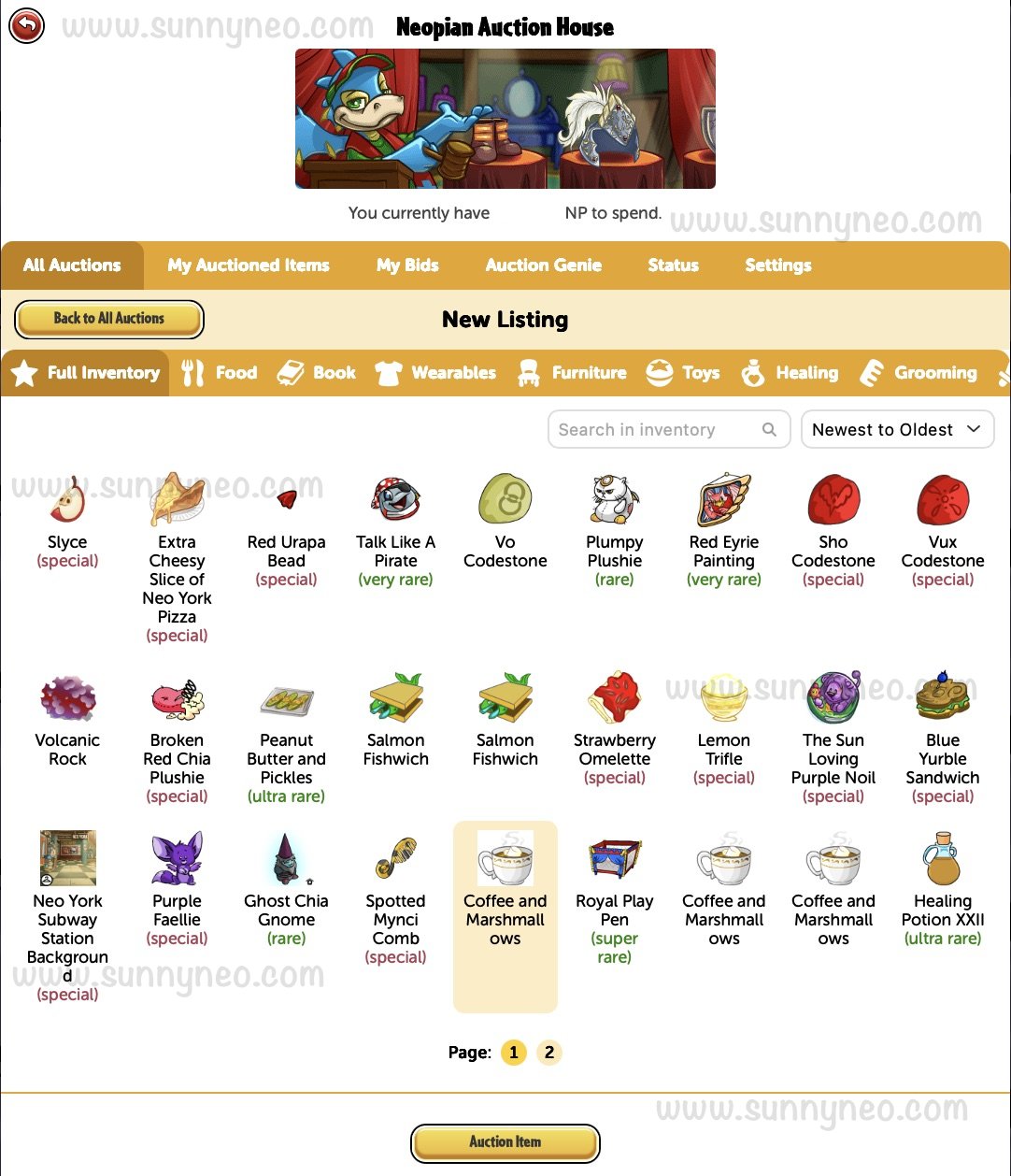 | 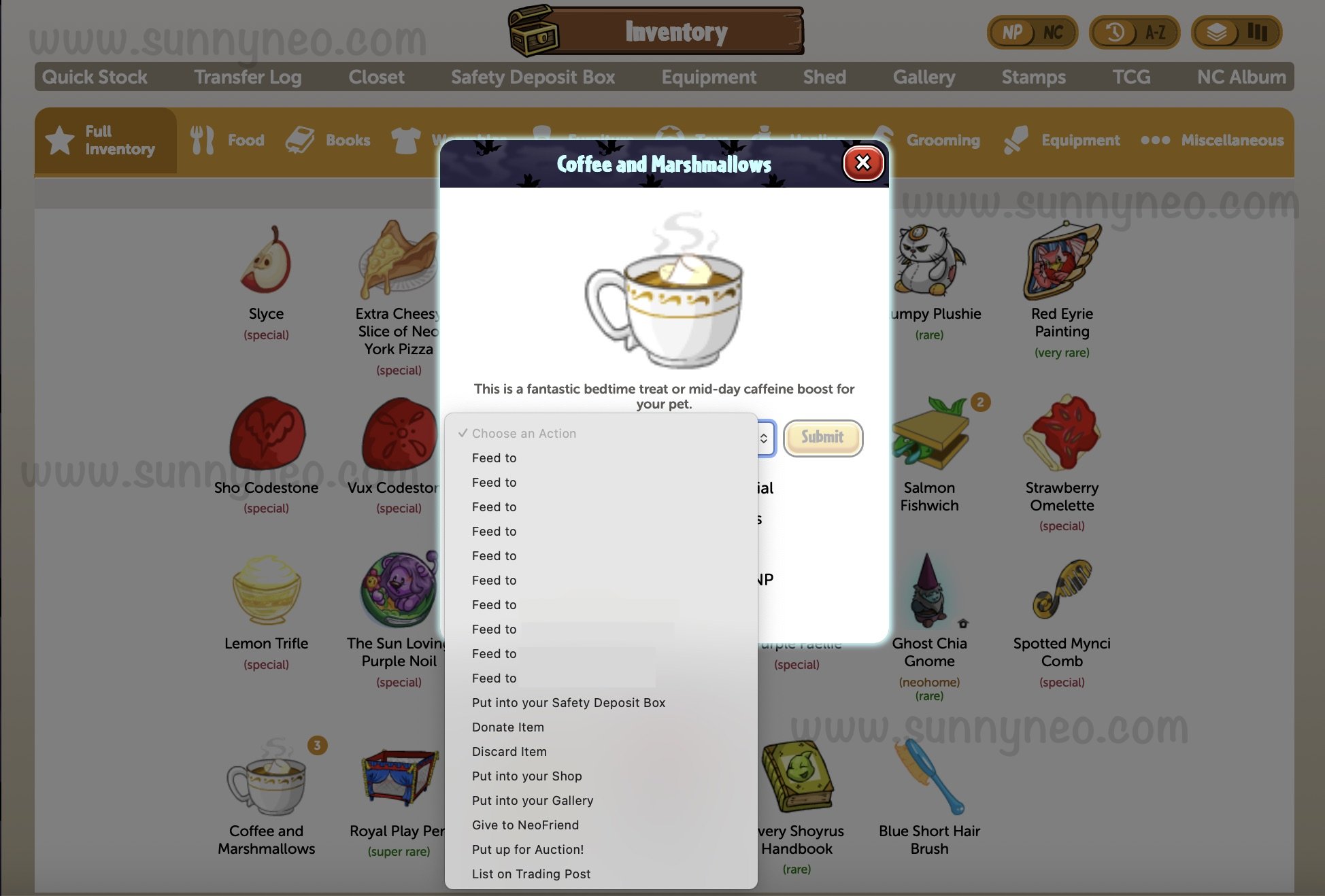 |
Any method will lead you to your next step which will be setting your item to its start price, minimum increment, and length of time that you want the item actively open in auction. You can also toggle any auctioned item to be only for Neofriends or Guild Members.
Heads up! We highly recommend doing research on your item the best you can before putting your item up for auction. Also, be sure to really look at the prices you're setting before auctioning the item. There has been many horror stories of Neopians accidentally auctioning off rare items for very cheap.
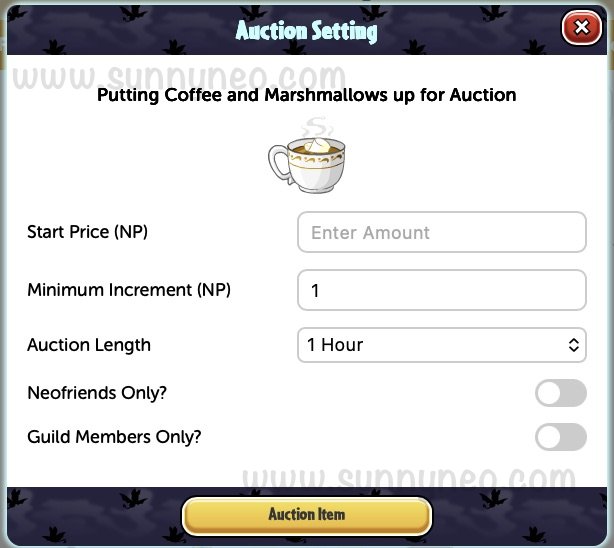
Once you click
Auction Item , your item will successfully be put up for auction and listed for others to see or search for using the Auction Genie. At this point, you can either wait it out during your auction's duration or you can advertise your auction(s) at the Trades / Auction NeoBoards. 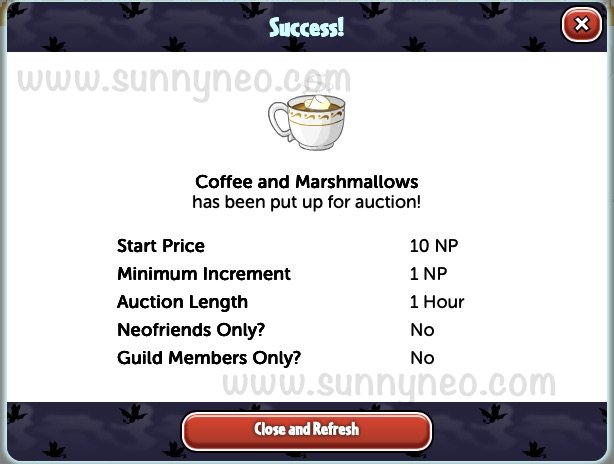
You can continue watching your auctioned items under the tab,
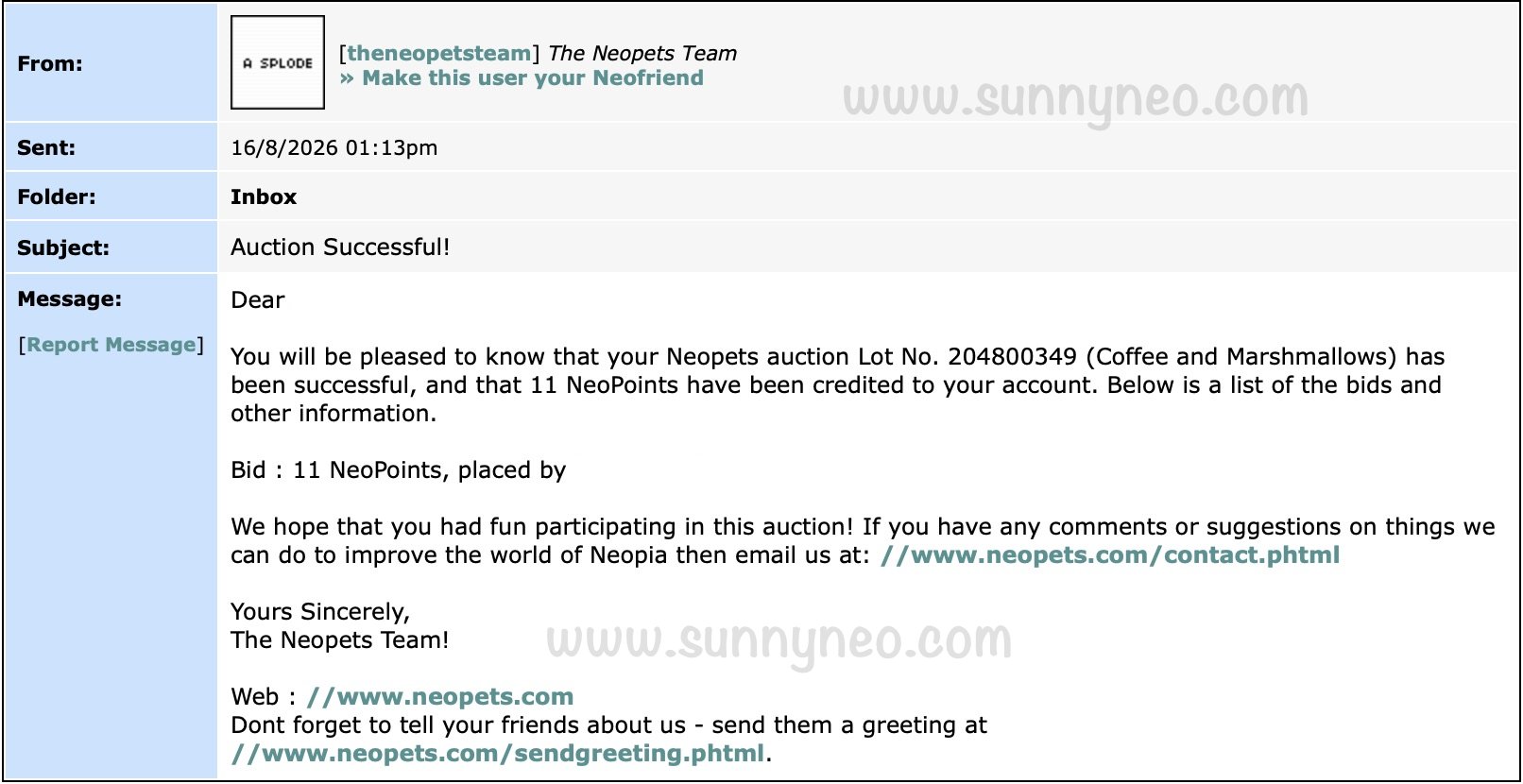
My Auctioned Items . When an auction has ended, you will receive a Neomail from TNT stating whether it was a successful or unsuccessful auction. If the auction is unsuccessful, then that item will go back to your inventory. If your auction is successful, TNT will state the person who won the bid from your auction and how many Neopoints you earned from the listing in the Neomail. 
Neopian Auction House Status
If you click the Status tab, you will notice a page that statistically shares how long it will take to fully process auctions. Having the status report can help determine the duration of when listings are processed and finalized. It's helpful to check in and see the average wait time and how many auctions are needed to be processed when selling. 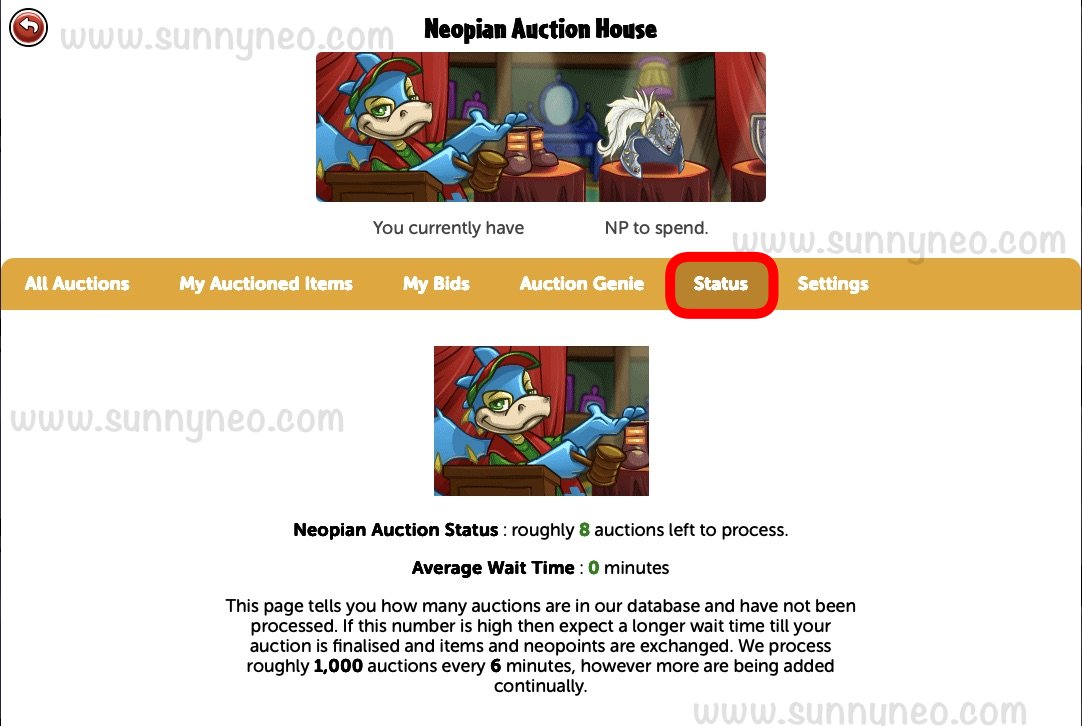
Neopian Auction House Settings
One of the biggest parts of the 2026 update was being able to customise what is Neomailed to you. Under theSettings tab, you can toggle in and out of receiving any Neomails from TNT regarding the auction house, any winning bids from TNT for those who bid, and both successful or unsuccessful notices from TNT when you auction an item as a seller. 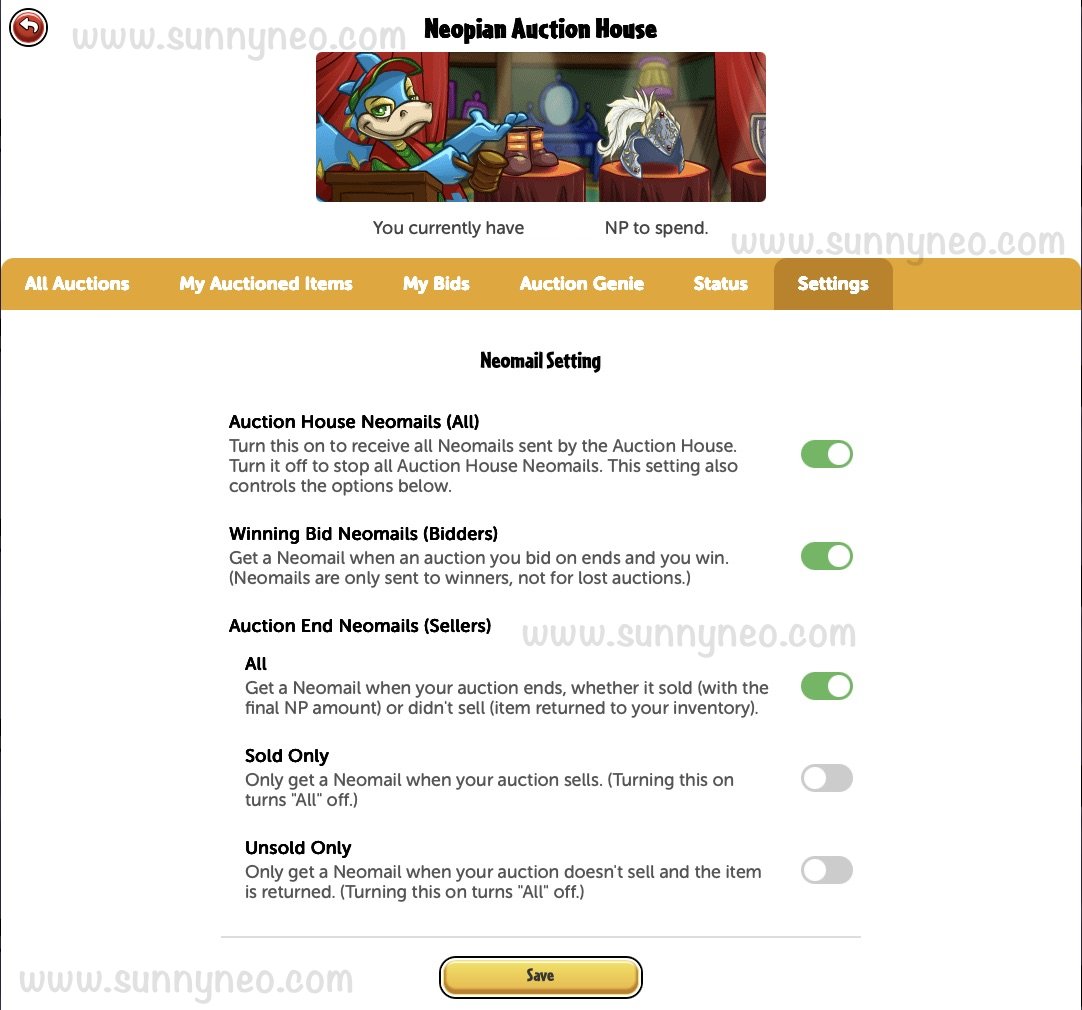

 {{ loadingMessage || 'Loading, one moment please'}}