Styling Studio
 The Styling Studio is the NC Mall feature where Neopians can purchase Pet Styles, or wearable skins, to change the appearance of their Neopets. Umbra, the Pet Styles artist, opened their Styling Studio on January 23rd, 2024.
Pet Styles, originally known as Nostalgic Tokens, were in lieu of Unconverted (UC) pets. On January 22nd, 2024, there was a site-wide update to convert, or retire, all remaining UC's and giving owners Nostalgic Tokens so they could keep their classic look.
The Styling Studio is a feature of Neopets' NC Mall. Purchases from the NC Mall costs real money. You can also participate in the Styling Studio on your side accounts. For more information look at our side accounts guide.
Umbra's Styling Studio
When you enter the Styling Studio, you'll be greeted by Umbra, the Pet Styles artist. Umbra will urge you to purchase supplies as they will be needed to determine what kind of tokens you want to purchase. All supplies are one-time use.Styling Studio Supplies
In Umbra's studio, you can purchase Styling Studio Supplies and head on over to the Styling Chamber to create an available Pet Style and place it on your pet.


Once you've purchased supplies, you will need to choose the Pet Style of your choice that is currently available. You can only purchase Pet Styles for the species you have on-hand. For example, if you have a Blumaroo, you can purchase any available Blumaroo Pet Styles in the Styling Studio. If you do not have a Blumaroo, then you may not purchase any Blumaroo Pet Styles.
Pet Styles
One of the three tabs to choose from is calledPet Styles . You will see a list of all Neopets. You'll notice that some are greyed out and some are in color. The ones that are in color means you have those Neopet species as your pets. Click on a species with color and you'll notice a list of Pet Styles that are available for purchase. Choose your style and then click I'm Interested! to continue. You must have the Styling Studio Supplies or the Deluxe Styling Studio Supplies to grab a Pet Style.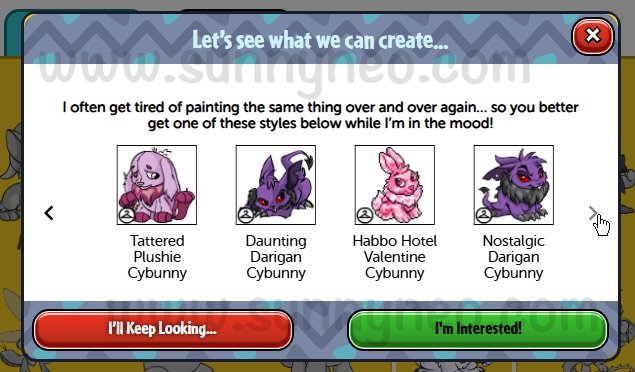
Prismatics
Another of the three tabs to choose from is called Prismatics . You will see a list of all Neopets. Typically, all species will be grey unless you have a that specific speces as your Neopet and you have the original Pet Style color on-hand. You must also have the Styling Studio Prismatic Brush to grab a Prismatic Pet Style. When creating a Prismatic Pet Style, you will not lose your original Pet Style. The original token will be put back into your inventory alongside the new additional prismatic edition.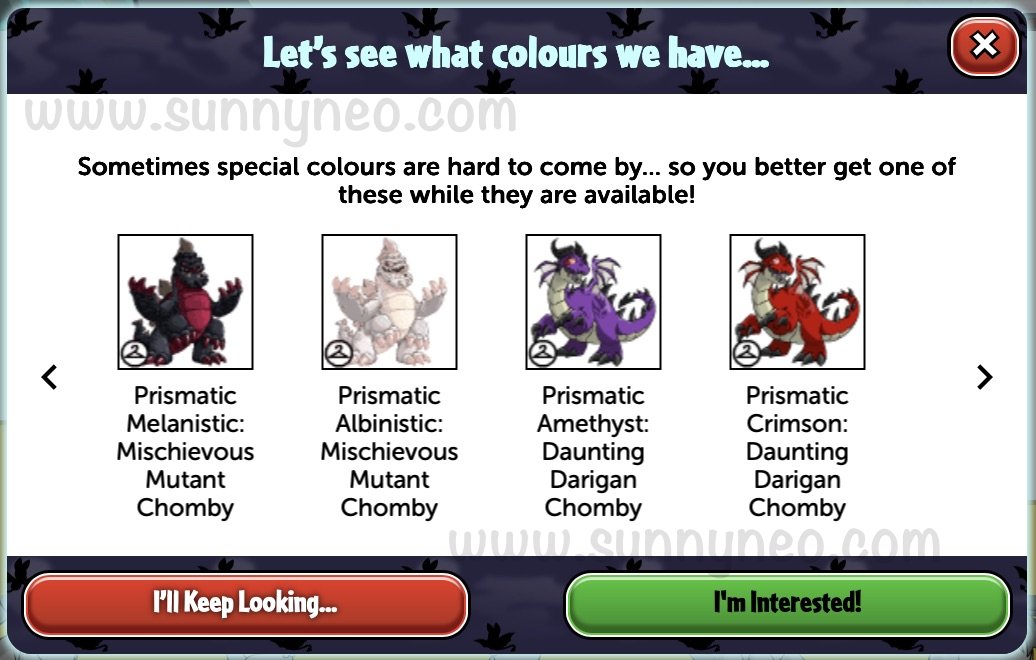
Restyles
The last of the three tabs to choose from is calledRestyle . These tokens are different than the Pet Styles and Prismatics. They typically represent a Neopian character. You cannot just purchase a Restyle. In order to obtain a Restyle, you must "restyle" at least 15 styles, which means recycle tokens you are no longer using back to Umbra. You must also have the Styling Studio Restyle Paint for every time you recycle a token. 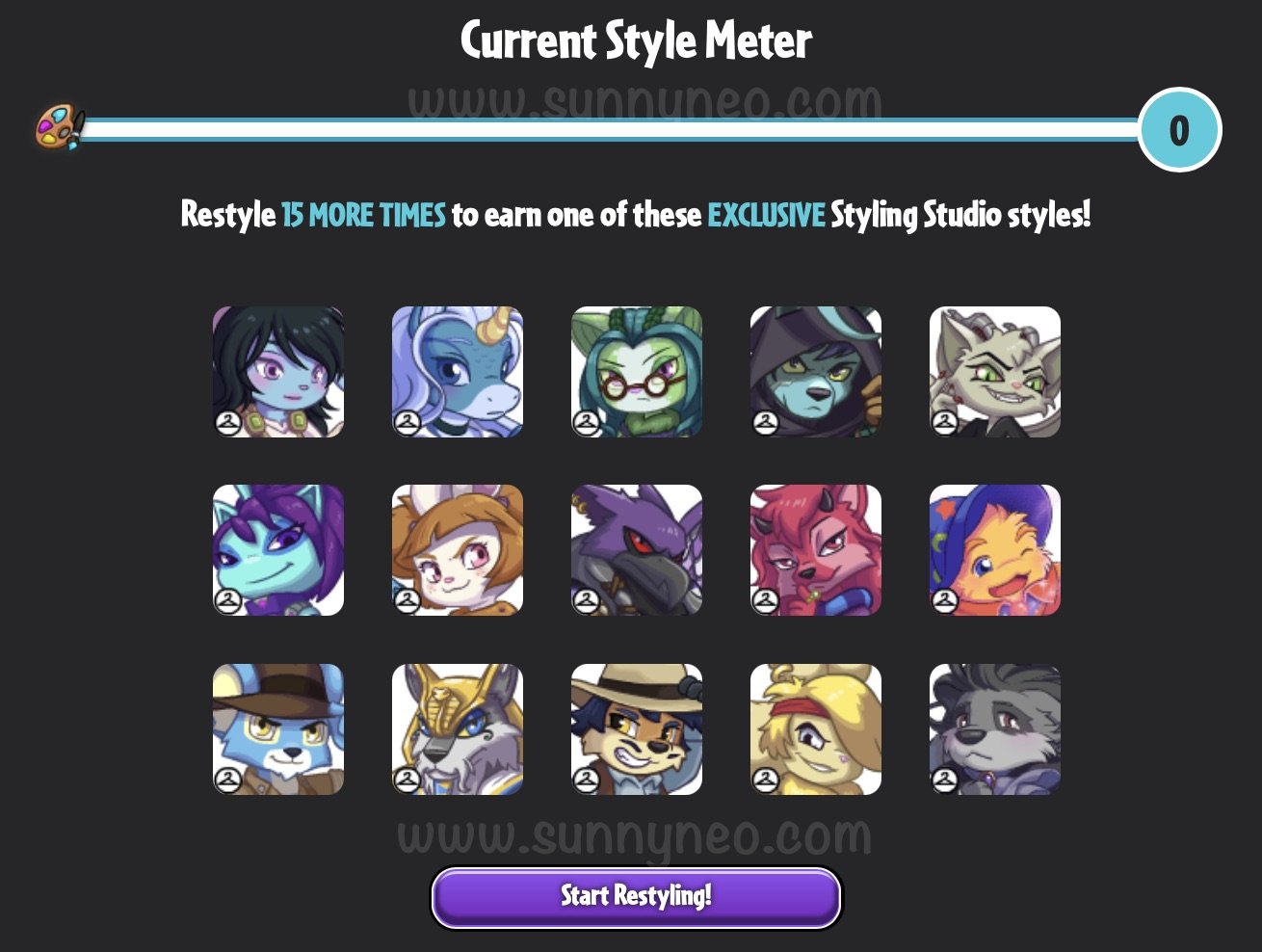
Each time you start restyling, you are recycling three tokens at a time. Each time you recycle a token, you have a chance to earn the following possible rewards:
- Any previously released NC Style
- Styling Studio Supplies
- Styling Studio Prismatic Brush
- Deluxe Styling Studio Supplies
- EXCLUSIVE NC Style Item
Styling Chamber
Once you've chosen your Pet Style, it will be placed in the NC part of your Inventory. Go to your inventory and click on your Pet Style. You will then have the option to put your style into the Styling Chamber, a feature similar to Customisation but only for Pet Styles.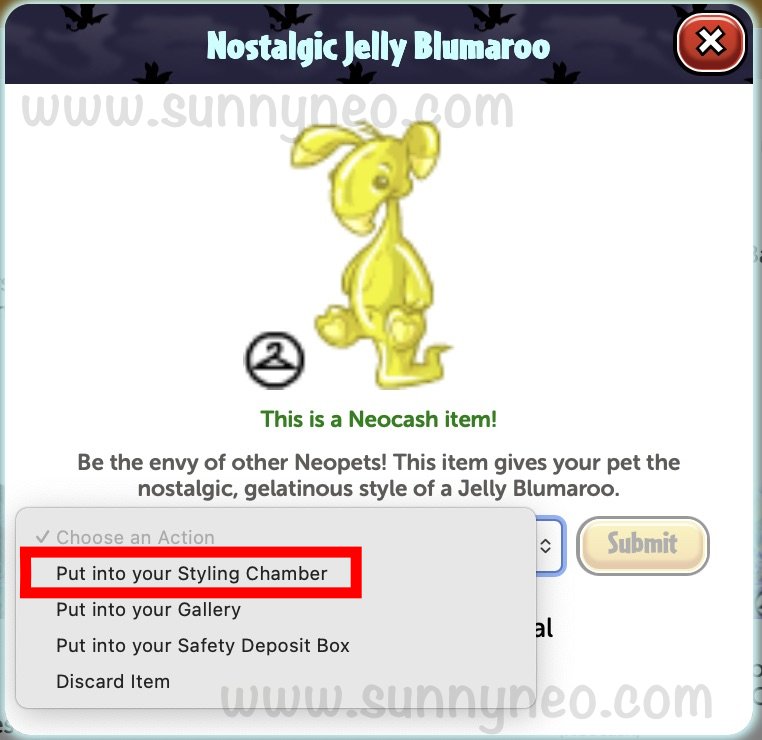
When in the Styling Chamber, you can try on and take off different tokens. To style your pet, click on their picture and then you can find all Pet Style tokens purchased of the same species listed below. Once you choose a token for your pet, you have two options:
Apply to Pet and Move to Inventory . The first option will have your pet wear the style and the second option will move your style out of the Styling Chamber and back into your Inventory. You can also Remove Style from any pets wearing a token.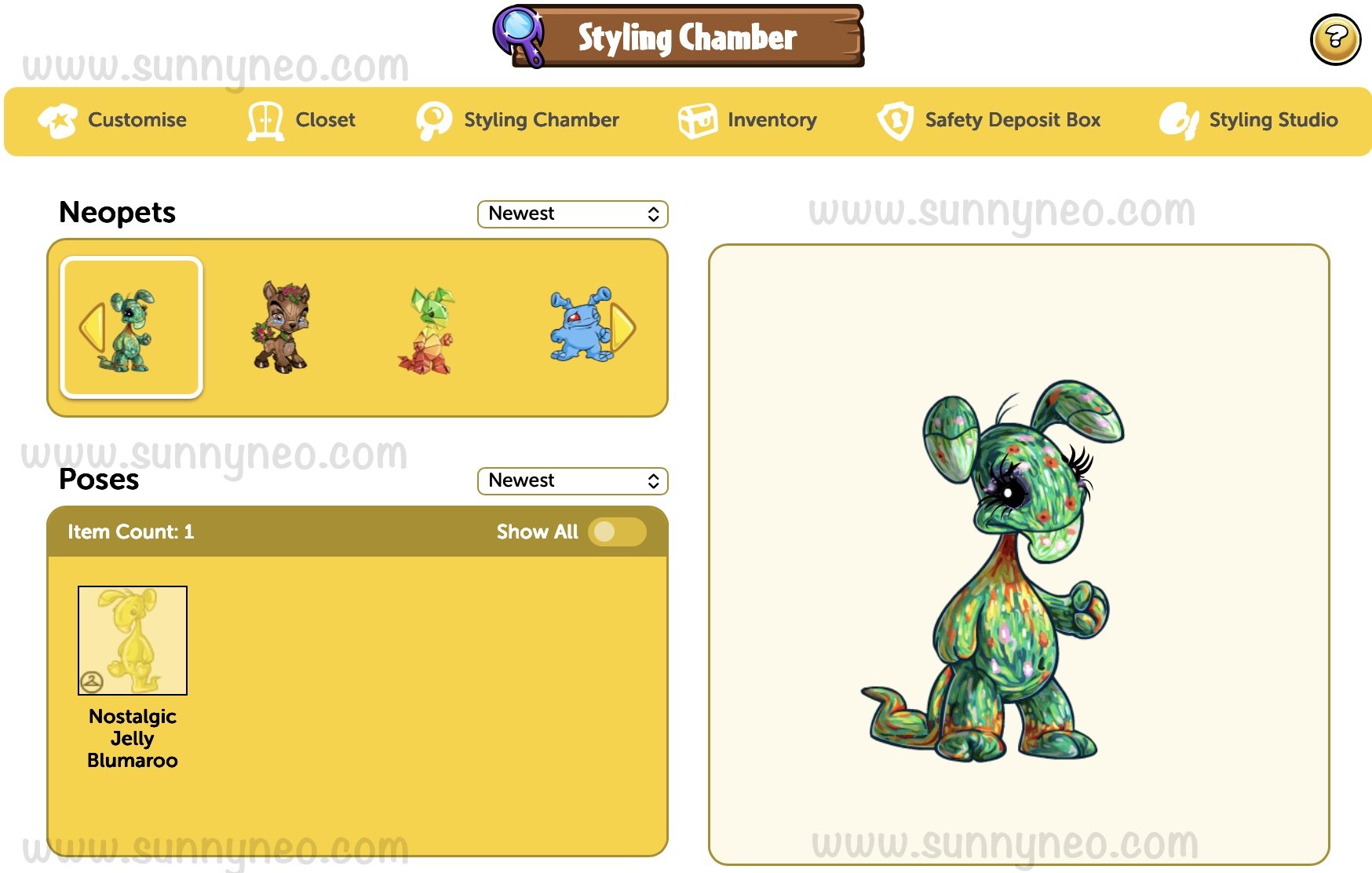

 {{ loadingMessage || 'Loading, one moment please'}}