
Inventory
The Inventory tab will give you the options to either go to your inventory or to the bank. On October 13th, 2026, the Safety Deposit Box was added.

Your Inventory
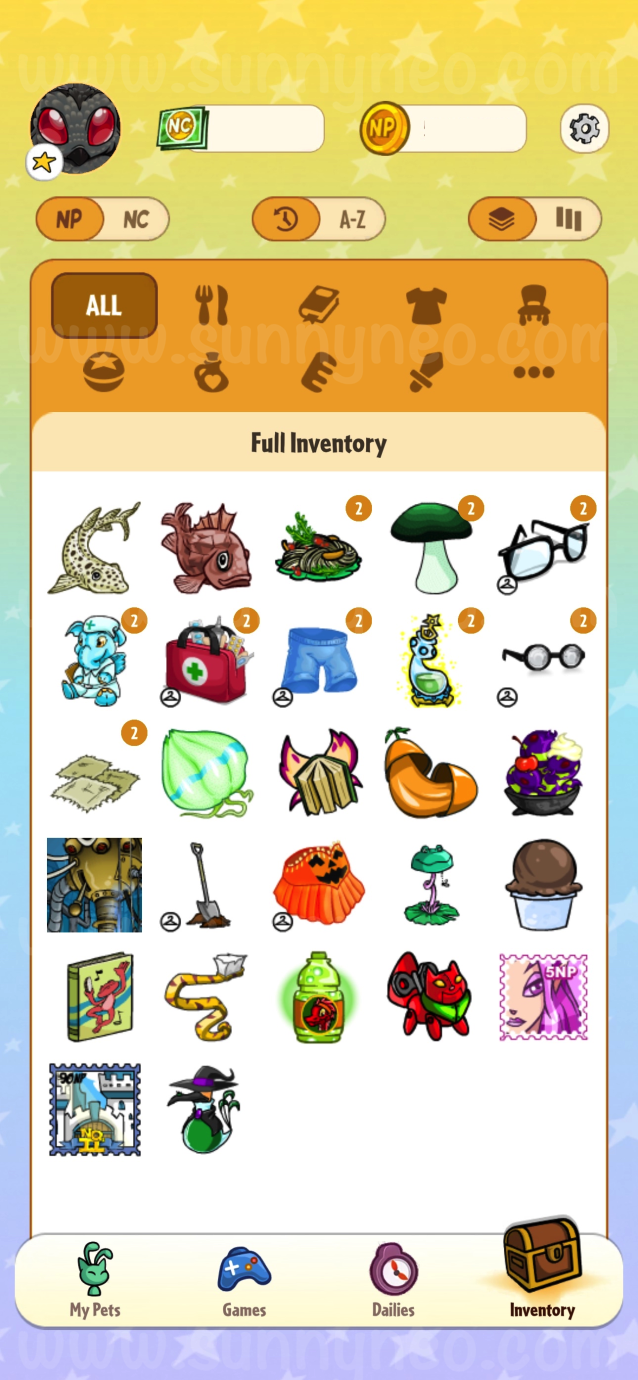
When you go to your inventory, you can see all of your items and can group them by type. Similar to on-site, you can toggle to see your NeoCash items. Currently, the only thing you can do in your inventory on the app is admire your haul and feed your pet.

The Bank
When going to the bank, you can collect interest, deposit and withdraw Neopoints, and even look at your Neopoint balance. You can also change your account tier and set up a PIN number if you do not have one already connected to your account. If there is not one connected, it will automatically make you register with one.

If you do not already have a bank account, you will be prompted to make one.

Safety Deposit Box
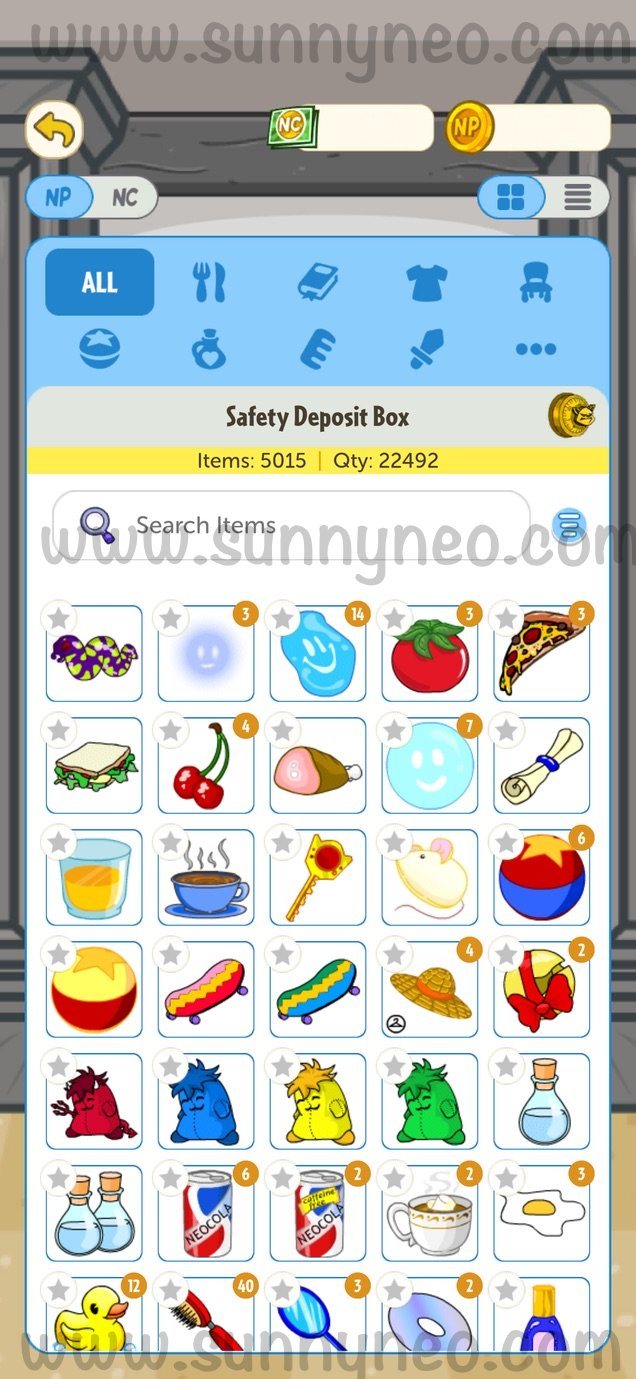
On October 13th, 2026, the Safety Deposit Box (SDB) was added to the inventory section. You are able to view all of your on-site items. It will display how many unique items you have acquired, and the overall quantity in your SDB. You can either view all your items by scrolling down, or you can find specific items by type.
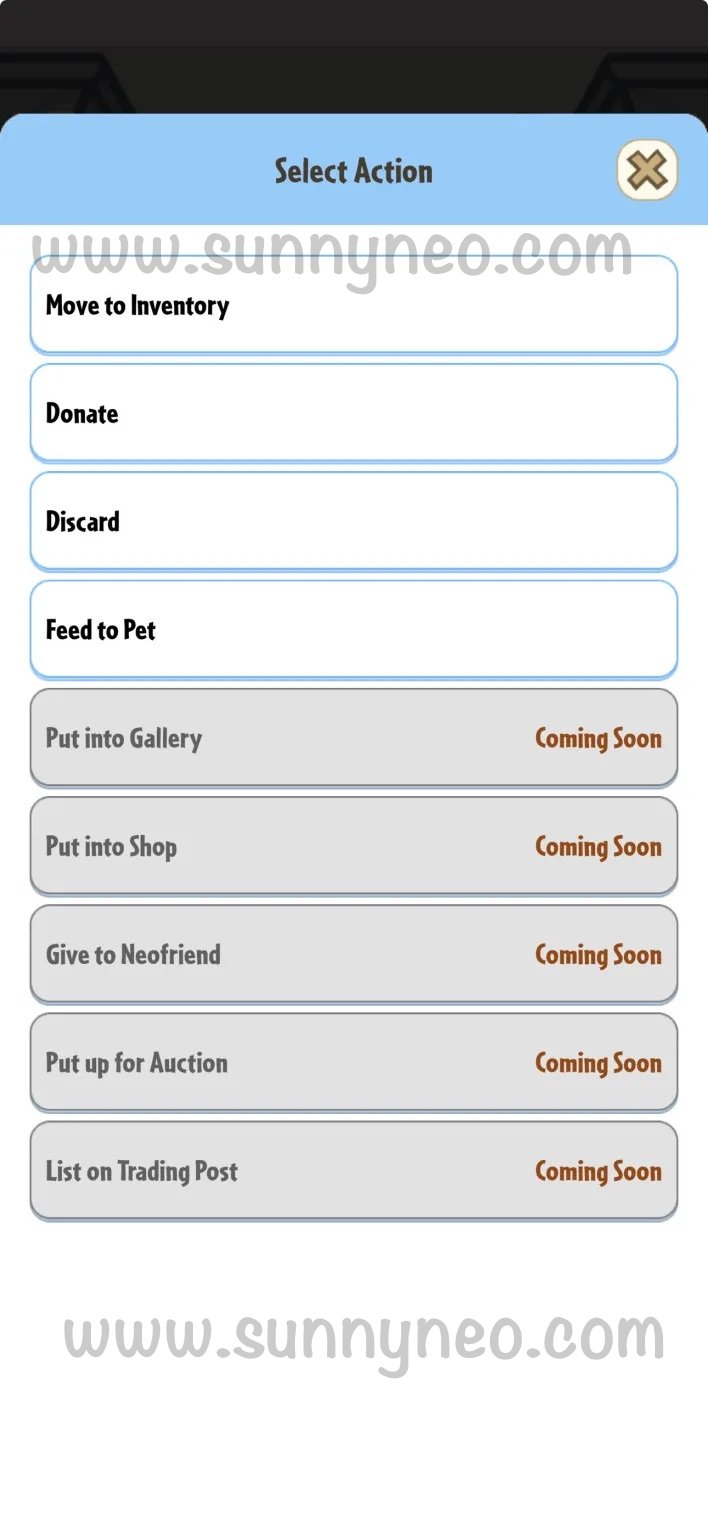
When clicking on an item, you can select an action of that item. Options include moving the item into your inventory, to donate the item, discard the item, or if it is a food, feed it to your pet. At the moment, the options of putting it into your gallery or shop, giving it to a NeoFriend, putting it up for auction, or listing it on the Trading Post are unavailable.
|
|

 {{ loadingMessage || 'Loading, one moment please'}}