


On January 14, 2000, Faeries were introduced to the site along with Faerie Quests. Faeries will sometimes ask Neopians for an item and in return for their hard work, they will give you a reward such as a stat boost to their active pet. You can only be on one Faerie Quest at a time.
Choose a Faerie to learn more about their quest.
Getting a Faerie Quest
The first step in participating in a Faerie Quest is by getting one. There are different ways of getting a Faerie Quest.
Random Events
Faerie Quests can come in the form of Random Events and will pop up at the top of your page as you surf the site. It is completely unknown as to when you'll be able to get a Faerie Quest. Faeries chosen for a Faerie Quest are at random, and you have the opportunity to accept or decline the quest.
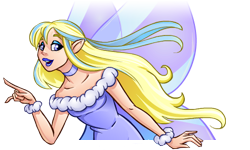
 An Air Faerie swoops down and exclaims, "Hurray, someone who can help! Please find me ITEM NAME HERE!"
Faerie Festival
Once a year, Faeries come together for their annual festival, the Faerie Festival. During this event, you'll be able to get a Faerie Quest each day the event is live. Faeries chosen for a Faerie Quest are at random, and you have the opportunity to accept or decline the quest. Not all faeries are made available during the Faerie Festival as it is dependent on the event's storyline.
For more information about Faerie Festival, check out SunnyNeo's Faerie Festival coverage guide.
 Faerie Quest Fortune Cookie See Preview
Faerie Quest Fortune Cookie
If waiting yearly or randomly for a Faerie Quest doesn't work for you, anyone can always purchase a Faerie Quest Fortune Cookie at the NC Mall to ensure that you obtain Faerie Quests.
Completing a Faerie Quest
As mentioned, Faeries give out rewards when you find an item for them. Items requested vary depending on what Faerie is giving you a quest. For example, Dark Faerie asks for toys while Earth Faerie asks for magic items.
When on a quest, you cannot use the Shop Wizard (and Super Shop Wizard for Premium Subscribers). Instead, you can search for the items in their Neopian Shops, use the Trading Post or Neopian Auction House, or ask for help in the Quests NeoBoard. Once you have the item, head on back to the Faerie Quests page, and let the Faerie know that you have their item.
Quest Refreshing
As of September 24th, 2026, a new feature to reroll items was added to Faerie Quests as a part of the Faerie Festival. This was added due to items increasing in price during the event, and has now been a part of Faerie Quests throughout the year.
To refresh a quest, find the rotating arrows (). You can only request to refresh one Faerie Quest at a time. When refreshing, you will not only change a different item, but also a different Faerie.
Additionally, on April 2013, the Refresh Quest Request boon began. This boon came from the War for the Obelisk plot, and it allowed players to swap an active Faerie Quest for a random new one.


Fierce and quick-tempered, Fire Faeries have a reputation for impatience. They hate to be kept waiting when they ask for your help replacing clothing that was ruined in the fall of Faerieland, but if you return with their items quickly, they will make you stronger in fights. - About Faeries
Faerie Quest Info
When the Fire Faerie appears to assign you a quest, the items requested are primarily clothing items that are r69 and under.
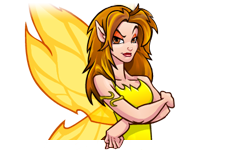 A young Fire Faerie steps foward. "ITEM NAME HERE" she blurts. "Oh, I mean, please find me one. Thanks!"
Finding the Requested Item
When on a quest, the Shop Wizard and Super Shop Wizard (for Premium Subscribers) are closed. Click the links below to look for the requested item.
 Uni's Clothing Shop |
 SDB |
 Trading Post |
 Neopian Auction House |
 Quests Board |
Requested Items
Below is a full list of items that the Fire Faerie often requests. All items are categorized as clothing items with a rarity of r69 and under.
Click See More to view the entire list.


Rewards
Rewards are given after you've given the requested item. Rewards are only given to your active pet.
| Rewards | ||||
|---|---|---|---|---|
| +3 Strength |

 {{ loadingMessage || 'Loading, one moment please'}}